You've got a product idea. Maybe it's a SaaS tool, an open-source project, or a side project you want to ship fast. The first thing you need is a landing page that looks credible without eating a week of your time.
Next.js and shadcn/ui are a solid combo for this. Next.js handles routing, performance, and deployment. shadcn/ui gives you unstyled-but-beautiful components you actually own, without fighting a third-party design system.
By the end of this post, you'll have a working landing page with a navbar, hero, features grid, testimonials, and a CTA section. If you'd rather skip straight to a production-ready template, ChatDeck is a free shadcn/ui landing page you can grab right now.
Prerequisites
- Node.js 18+ installed
- Basic React familiarity
- A terminal you're comfortable with
That's it. No prior shadcn/ui experience needed.
1. Setting Up the Project
Start a new Next.js project:
Pick these options when prompted:
- TypeScript: Yes
- Tailwind CSS: Yes
- App Router: Yes
Now install shadcn/ui:
The CLI walks you through a few config questions. Pick your base color (Neutral works for most landing pages) and let it set up your components.json and CSS variables.
Your folder structure will look like this:
2. Planning Your Sections
A landing page that converts has a clear structure. Here's what we're building:
| Section | Job |
|---|---|
| Navbar | Orient the visitor, offer navigation |
| Hero | Communicate value in 5 seconds |
| Features | Back up the claim with specifics |
| Testimonials | Build trust with social proof |
| CTA | Give one clear next step |
| Footer | Housekeeping: links, legal |
Don't add sections because they look impressive. Each one should answer a question your visitor has. Hero answers "what is this?" Features answers "how does it work?" Testimonials answers "can I trust this?"
3. Building Each Section
Navbar
Install the Button component first; you'll use it everywhere:
Create components/Navbar.tsx:
Sticky navbar with a blur effect. No library needed, just Tailwind utilities.
Hero
The hero has one job: get the visitor to keep reading. Lead with the outcome your product delivers, not what it is.
Create components/Hero.tsx:
Ship your SaaS landing page in an afternoon
Stop rebuilding the same components. Get a production-ready landing page built on Next.js and shadcn/ui.
Two CTAs: one primary, one secondary. The variant="outline" on shadcn's Button handles the visual hierarchy automatically.
🚀 Want to skip building the hero from scratch? ChatDeck is a free shadcn/ui SaaS landing page template with a production-ready hero, gradient accents, and dark mode, already assembled and ready to customize.
Features
Install the Card component:
Create components/Features.tsx:
Everything you need to ship
No fluff. Just the stack that gets it done.
Every component is yours. Copy it, modify it, ship it.
Server components, streaming, and layouts ready to go.
Light and dark mode work out of the box.
A data-driven grid. Adding a new feature means adding one object to the array, not touching markup.
Testimonials
Install Avatar:
Create components/Testimonials.tsx:
"Went from idea to live landing page in three hours."
Sarah Chen
Founder
"Clean, accessible, easy to extend."
Marcus Rivera
Engineer
"I handed this to a dev and they shipped it same day."
Priya Nair
Designer
The AvatarFallback shows initials if the image fails to load. Small detail, but it matters in production.
🖼️ Want to extend the testimonials with richer avatar patterns? The Shadcn Avatar guide covers status badges, avatar groups, and custom sizing, all patterns that show up in user-facing testimonials and team sections.
CTA Section
Create components/CTA.tsx:
Ready to ship your landing page?
Start from scratch or grab a free template and cut your build time to zero.
Footer
Create components/Footer.tsx:
© 2026 YourProduct. All rights reserved.
Wiring It Together
Open app/page.tsx and pull all sections in:
Ship faster with shadcn/ui
Production-ready components, yours to keep.
Run npm run dev and you have a working landing page at localhost:3000.
4. Theming Your Landing Page
shadcn/ui uses CSS variables for its entire color system. Open app/globals.css and you'll see variables like:
Change these and every component updates. You don't touch individual component files.
🎨 Don't want to write HSL values by hand? The shadcndeck Theme Generator lets you pick colors visually, preview them live across all components, and copy the CSS in seconds, no guessing required.
5. Don't Want to Build from Scratch?
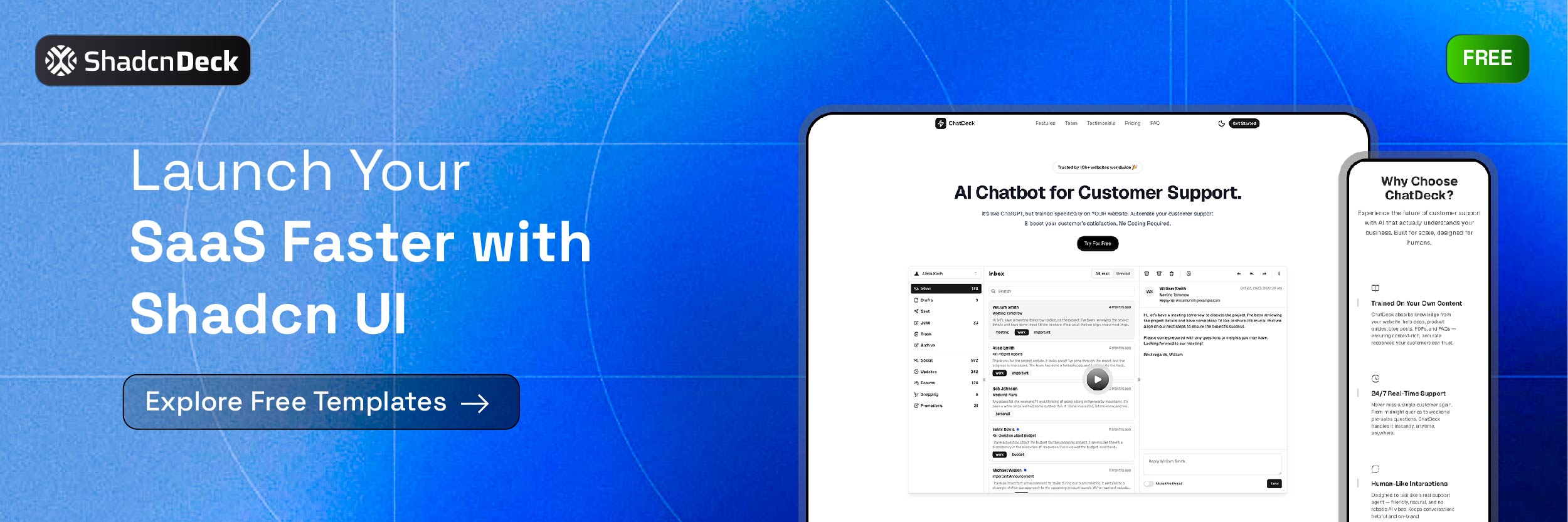
Building section by section is a great way to learn the stack. But if you're shipping something real and want a head start, ChatDeck is a free shadcn/ui landing page template built for exactly this.
It includes:
- A production-ready hero with gradient accents
- Features grid with icons
- Pricing section with toggle
- Testimonials
- Dark mode out of the box
- Fully typed with TypeScript
You get the source. Modify it however you want. No attribution required.
📋 Comparing more options before committing? The free shadcn templates guide reviews 15 open-source landing page starters with honest trade-offs for each one, useful if ChatDeck doesn't fit your use case.
Browse all available templates at shadcndeck.com/templates.
6. A Few Things Worth Getting Right
Images: Use Next.js <Image /> instead of <img>. It handles lazy loading, resizing, and WebP conversion automatically.
Mobile first: Write your Tailwind classes mobile-first (text-4xl md:text-6xl). shadcn/ui components are responsive by default, but your layout decisions aren't.
Metadata: Add this to app/layout.tsx before you ship:
For a deeper look at shadcn/ui component patterns, this blog has detailed breakdowns of components like tabs, accordions, and resizable sidebars.
Wrapping Up
You now have a full landing page with a navbar, hero, features, testimonials, CTA, and footer, built on Next.js and shadcn/ui. The stack is fast to build with, easy to maintain, and scales cleanly as your product grows.
If you want to skip the build and go straight to customizing, grab ChatDeck for free. It's the same stack, already assembled.
Related Posts
- 15 Free Shadcn UI Landing Page Templates - Find a production-ready starting point faster than building from scratch
- Shadcn Tabs Component Guide - Add tabbed navigation and organized content sections to your landing page
- Shadcn Accordion Component Guide - Build FAQ sections and collapsible content blocks for your landing page
- Shadcn Avatar Component Guide - Testimonial avatars, user profiles, and avatar groups in detail


